
Speed up online form-filling
RoboForm makes entering passwords and personal information on the web a breeze. RoboForm is a password manager that will store sensitive data all in one place, protected by one master password. You’ll then be able to quickly access those passwords and notes every time you need them.
One of the first things you’ll have to do is set a master password. It’s very important to remember that password, because it allows you to unlock all the notes and information you store in RoboForm. Make sure to set a secure password, because if anybody finds it out, they’ll have access to all the passwords you stored in RoboForm. As an extra security feature, you can choose to have RoboForm automatically log off after a certain amount of minutes or when you lock your workstation.
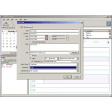
So how does RoboForm work? The application, tucked into your system tray, can store web passwords, safe notes and identities. The first time you launch Roboform you should create multiple identities. Enter information like phone numbers, address, company, bank account details and Social Security Number. Once it’s all stored in RoboForm, you’ll be able to fill in online forms in a click. We tested it out on a number of forms and were actually surprised at how well this function works.
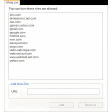
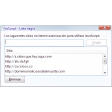
When browsing the web, logins will probably be the item you use most. Every time you enter a user name and password for a website, RoboForm will offer to store it. From then on, you won’t have to worry about entering those details when accessing the page, as RoboForm will handle it automatically. To protect against phishing, RoboForm will always compare a website URL to the one corresponding to your password.
If you’re having troubles finding a proper password you can use the password generator found in tools. Not only can you choose the number and types of characters, but also exclude similar characters (like 1 and I or O and 0) or limit to hexadecimals. For any element you create, RoboForm offers five known encryption algorithms to choose from for your entries: Blowfish, AES, RC6, 1DES and 3DES. We can only lament that the program does not explain the inherent differences between these algorithms. For most users we suggest AES or Blowfish, but all of these will prove decent cover.
Although you probably can’t beat 1password for Mac, RoboForm is by far the best password manager for PC.
We appreciate how easy it is to add new passwords and form details, and instantly invoke theses elements every time you need them in RoboForm. Install RoboForm on your PC and you’ll never have to enter your password or form details again!
* Start Page: Add 'Remove from Most Popular/Start Page' to context menu. * Installer: add separate installer page for the Start Page. * Fix form filling issues and crashes. * Sync: fix state file may be deleted if sync was not done for more than 1 week. * Sync: sync logs are now uploaded on RFO server, for better diagnostics. * Fix crashes in import from Windows Address Book on Vista. * Fix copy/paste of selected passcards from one folder to another may break MRU / Popular lists. * Search Box: fix crash when there are some special chars at the end of the search string. * Win32: fix can not find matching passcards for application exe if there are dots in its name. * Switch to using 4-digit version number, to allow for internal releases. * Fix plain-text (unencrypted) passcard file is automatically rewritten into garbled format on first use when RF stores site icon into the passcard. * Switch to using 2-byte UNICODE strings on Mac. * Firefox: fix AutoFill of Firefox accepts invisible fields, it should not. * Chrome: improve GoFill/Login implementation, do full IE-style algorithm.
Changes
* Start Page: Add 'Remove from Most Popular/Start Page' to context menu. * Installer: add separate installer page for the Start Page. * Fix form filling issues and crashes. * Sync: fix state file may be deleted if sync was not done for more than 1 week. * Sync: sync logs are now uploaded on RFO server, for better diagnostics. * Fix crashes in import from Windows Address Book on Vista. * Fix copy/paste of selected passcards from one folder to another may break MRU / Popular lists. * Search Box: fix crash when there are some special chars at the end of the search string. * Win32: fix can not find matching passcards for application exe if there are dots in its name. * Switch to using 4-digit version number, to allow for internal releases. * Fix plain-text (unencrypted) passcard file is automatically rewritten into garbled format on first use when RF stores site icon into the passcard. * Switch to using 2-byte UNICODE strings on Mac. * Firefox: fix AutoFill of Firefox accepts invisible fields, it should not. * Chrome: improve GoFill/Login implementation, do full IE-style algorithm.


















.png)











User reviews about RoboForm
by Anonymous
Easy way to manage and synch logins to anywhere; home, work, travel. .
Using it for many years, and it's the best way to organize my over 200 logins. Customizable start page and the Everywhere account feature lets me auto-synchronize all logins no matter where I am, work, home, or travel. High quality help system and user tutorials, and dedicated development team, always making useful updates. More
by Anonymous
Roboform 6.xx.x.
I currently use Roboform 6.10.1. I've used pretty much every iteration for probably 10 years. I have yet to run into any problem whatsoever since I first downloaded it. I used the free version initially but found it to be so useful I purchased multiple site licenses for Roboform Pro. For keeping track of passwords, generating even monumentally long, complex passwords and filling in forms on the web, I have yet to find anything better. More